Showing posts with label Tips. Show all posts

Thursday, 26 July 2012

Table Of Content / Sitemap Generator For Blogger

This is also another great widget for your blog.
It automatically generate table of content in your
blog.Its a site map. Your visitors can look at
complete structure of your blog.it will show
"New!!" as latest 10 posts. Actually this is
more important in Seo. you better add this
widget to your blog.

Table Of Content Sitemap

Demo

How to add it to your blog.
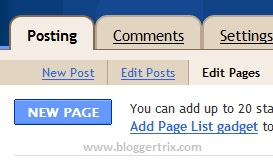
1. Log in to blogger account and Go to Posing>> Edit Page >> Create Page


2. Now paste below code

<script src="http://www.abu-farhan.com/script/daftarisiblogger/blogtoc-min.js">
</script>
<script src="http://bloggertrix.com/feeds/posts/default?max-results=9999&amp;alt=json-in-script&amp;callback=loadtoc">
</script>

*Replace Bloggertrix.com with your blog address.

3. Click Publish Post 

Tip: After publish it, you can get  URL of your contact us page. So you can add it to your
menu bar,its more relevant, because your visitors can easily get it.you can get nice menubar here
Cheers.

Tuesday, 24 July 2012

How to put more Value to your Information

Should blogs be consider a good source of information? We bloggers like to think so. Blogs are the new medium and the easiest medium to make any information useful and professional. But I agree with Andrew Buchmannn about how useful is blogging as a tool of information. He pointed out that anyone can just add anything on the web and uncertain verification system makes it even worse to public eye with sensitive or important information. As bloggers we try to use the right information but doesn't always interrupt it right. I think we bloggers should consider and know how our visitor looks at the information we provide and how as a reader you can evaluate the information better.


Always include your source


This is pretty obvious but just adding simple source ink or reference link to the information you are providing. Don't worry about SEO, make it nofollow if you wish, your readers won't check. While giving your information add the phrases like 'according to source name' just like your read in non-fictional book and newspapers. It gives more professionalities to your information and also helps you recheck your information your providing. This is pretty much the main point and need you need to meet. In addition to create more value to your information you should try to do the followings.

Add an Authors' bio


Since anyone with a computer an add anything to the web, you should have a unique way to show that your information and authority it higher than 'anyone'. Make your true self and show off your experties and link your picture to Google authorship which will help you both with better image of your blog and SEO.

Make your blog professional and related


If your blog is completely about something else there isn't a good reason for you reader to take your 'information' as a trusted or validated one. Same goes for a blog with bad design and 'scammy' styles. If your blog look professional and your blog is related to the information your providing, then your visitor will most likely to be happy than with a scammy site with right information.

How to evaluate your information


Well you can't, not always. Pretty much very thing on the net is on the net interlinking. If you are looking for higher authority, always check the source, check the terms and conditions and search the web for more information about it. Some information are easily evauateable but others aren't. Just like you know not to use any information from Wikipedia to your paper, you should know, not every website can provide you the safe-zoned information you are looking for. Also check the above method as well to see what your unconscious mind think.

Monday, 9 July 2012

A simple guide for a successful blog

Successful blogs mostly means lots of traffic and maybe earning a well. I don't think there is any secret unless you want to go illegal with black hat hacks to get more traffic and make your blog the 'successful' one. Here I have listed some of the basic steps that are the key factor for a successful blog that you probably know already.


Good Content


This is always the top section for any blogging tips article and that is for a good reason. Even if you get all the traffic and your content has no value or been copy pasted you will have a bad blogging life. So before anything make sure whatever you write has a reasonable value to it.

Good Traffic


There are so many 'secrets' out there for getting more traffic but what you actually should be worrying about is your targetted traffic and build a good reputation around it. Become well known with with your name and avatar in that niche by not sharing but participating to get traffic. Some of the well known practices are guest blogging, commenting, and social site blogger community.

Write More


Write more blog posts and make them useful and high quality. This is the only how your blog grows and increases traffic. The 'you don't say' math behind this is that the more article you have the more search you win and share to get more traffic as well as keeping your old followers updated.

Page Rank


you probably have read about many tricks to get better page rank and became confused when other posts says 'you shouldn't be worrying about page rank- just write good contents' Well that is absolutely right but for new bloggers only. Once you got all your blogging tools set up, you should now do some work to build good page rank. Even if you have tons of blog posts and you are in the tenth page of google, there won't be much traffic that you will get from google. Simple ways to get good page rank is by writing guest posts on other high rank blogs, make your external links dofollow and link to your old posts with the new ones.


These are the overall look behind success of any blogs. Just make sure you follow all this while trying to improve your blog. It's the simplest blueprint for your blogging success. Take your time and follow the steps slowly with ll the detailed article you can find on Google for each. Leave your thoughts and ideas on the comment section below. Happy blogging :)

Thursday, 5 July 2012

Making your blog better with simple planning

Everything in life has a purpose. We do what we do to get something out of it. Not always that it turns out perfectly but we have a perfect goal set in our mind. I think thinking and evaluating these goals and  strategies can have a big impact on the success. Success definitely doesn't meant to be a pro blogger or earn money. The goal I am focusing on and will discuss further is the small goals for specific things. To make this better and profitable.


My part of the story


I have a pretty messy blog. I am not a programmer, web designer, SEO master or maybe not even a blogger. I am just a regular internet browsing guy in front of a computer. Not much to expect from this anyway but since this is summer I am wasting/spending my time on blogging. I know blog can be fun, can be social and it can also be profitable but in my cause it just too messy to identify what is going on. I need to improve my blog, understand my purpose and make a rational future planning for this blog. I know many new bloggers will be have the same problem so I guess since I am a sharing machine, I can share some of my tips and ideas to plan for a organized and evaluate-able blog so you can actually understand the profit or lost.


Write down your blog status


If you actually want to progress, you should know what to compare to. So before doing any changes or taking your 'big steps' go ahead and write down all the current status of your blog. You can include all sorts of status, but the main focus should be what you actually need to improve upon (ex. traffic). But don't look at this status to compare tomorrow, divide your total improvement time in to two sections and compare with your list once in the middle and afterwards at the end.

Go back to beginning


We tend to continue with a routine and fall into our own trap. Get out of it. Mess up our daily or weekly routine for blogging and rethink everything from complete beginning. What you would do to start a fresh new blog? A start-over on your new blog? How would you organize it? How would you plan on it? Why not do those in your current blog. Forget about your old post and template again and blog as you are starting over and continue with it.

Copy other bloggers


Yes, you heard it right! Copy other bloggers! We learn from higher authority in school- college and our everyday family life. Why not learn fro 'successful' bloggers who already did what your trying? Of course by this I am not saying to copy their template, css and posts but to copy their method and styles and habits. It is likely that they already did your mistake and figured out for better.


Understand your blog


What are you blogging about? Why? Do you have a specific type of reader? What they want? What you want? What you need to improve upon? What changes that you have to make and how fast can you do it? Plan it, make a list of things you think need to be changed and change it over time (not over-night). Make a short time goal and make a long time goal. After your done with your

Don't get carried away


Don't read too many blog post such as this. Read technical blogs that will actually help you towards your goal. You should learn basics of SEO which shouldn't take more than 20 minutes. A little bit of motivation with it will be enough for you to make what you want to make; for better!

To summarize everything learn from pros but don't necessarily take tis from them, make small goals within a bigger goal by understanding your needs and actually do the right changes and see the result by comparing the old blog. Happy blogging :)

Image credit: Cohdra 

Saturday, 30 June 2012

Useful Facebook Shortcut Keys

Actually When we talk about social network its
very important part of bloggers. Facebook is the
most popular social network now. Millions of
users use it.I hope all of bloggers use Facebook.
Do you know, there are more shortcut keys for
Facebook, You can open new massage,search
shortcut,home page shortcut and more. So, It
helps to do some important works without
moving courser.Shortcuts are sometime different
from internet browser.So,i will include all for you.

facebook-shortcut

New Message
Chrome:   ALT + M
Firefox:    SHIFT + ALT + M
Explorer : ALT + M + ENTER

Search Shortcut
Chrome:   ALT + ?
Firefox:    SHIFT + ALT + ?
Explorer : ALT + ? + ENTER

Home Page / News Feed
Chrome:   ALT + 1
Firefox:    SHIFT + ALT + 1
Explorer : ALT + 1 + ENTER

Profile Page
Chrome:   ALT + 2
Firefox:    SHIFT + ALT + 2
Explorer : ALT + 2 + ENTER

Friend Request
Chrome:   ALT + 3
Firefox:    SHIFT + ALT + 3
Explorer : ALT + 3 + ENTER

Message Shortcut
Chrome:   ALT + 4
Firefox:    SHIFT + ALT + 4
Explorer : ALT + 4 + ENTER

Notifications
Chrome:   ALT + 5
Firefox:    SHIFT + ALT + 5
Explorer : ALT + 5 + ENTER

Account Setting
Chrome:   ALT + 6
Firefox:    SHIFT + ALT + 6
Explorer : ALT + 6 + ENTER

Privacy Setting
Chrome:   ALT + 7
Firefox:    SHIFT + ALT + 7
Explorer : ALT + 7 + ENTER

Facebook Official Page
Chrome:   ALT + 8
Firefox:    SHIFT + ALT + 8
Explorer : ALT + 8 + ENTER

Service Agreement
Chrome:   ALT + 9
Firefox:    SHIFT + ALT + 9
Explorer : ALT + 9 + ENTER

Help Center
Chrome:   ALT + 0
Firefox:    SHIFT + ALT + 0
Explorer : ALT + 0 + ENTER

You can Like or unlike photos by press 'L' with any browser.

Hope this help to you.

Friday, 29 June 2012

5 Tips To Keep Your Visitors Longer On Your Blog

When  people are Reading your blog. Do you
like to keep them longer on your blog? Who
don't like it.So you have to do something for it.
Actually one person view more pages, it helps to
increase your page views per visitor.So, there
are some points about your blog which you can
focus on.

blog traffic

Add Picture to your Every post
Actually picture is worth a hundred of words.Because, it can say money thing than words.
If you write long post, break it in to graph and add some pictures. But don't forget to add
law resolution picture. Because if not  it will take more time to load.For example, if you writing post about
Seo,you must add some seo related picture for your blog.how to add Thumbnail related post to blogger

Focus to your visitors readability.
Make sure your visitors reading your blog.make feel them comfort.They don't like long post. just give the exact point what you trying to give.Make sure they can understand your article.Add some awesome content when you writing post.

Add Related post Option to blogger.
You have to add related post option to your post, because it will show related post which similar to article that reading.For example. Actually , This is technique for keep your readers hang around the blog .

Link to your Other Post.
This is call Interlinking and  important for search engine optimization.When you writing about article.
check if there have old post which similar to new post. So you don't want to describe about that point.
Just use some good keyword and link to that post. So,visitors will surely keep reading that post too.

Create helper Page for your blog.
If you have helper page it will helpful to new visitors. its just like this."New to here" ,"Need Help", "Get Started.". it will really helpful to them,Because it will helps to guide visitors about your blog.
When they have any problem they can contact you.

Hope this help you to keep your visitors longer on your blog.This the basic ideas.I hope your visitors stay longer.

Wednesday, 27 June 2012

How To Get Approved Google Adsense Easily

Actually, Google Adsense is the best free way
to earn lot of money.because it easy to use and
owners can keeping target ads from  Google ads and
getting earning by every clicks. If you have quality
and unique content in your blog, you can earn more.
There have lot of advertising campaigns, but in my
opinion Adsense easy and best.  you can see other
advertisers from here


Google Adsense


Adsense Tips for getting approval.

Your website must good quality unique contents
First we have focus to quality of your content.if you don't have quality content, keep writing quality content. don't copy paste articles from other sites.don't include any program  that violate Adsense program.Try to apply Adsense with 50 quality post.

Buy a Top Level domain.
Buy a top level domain for your blog,Its another requirement to approve Adsense. So try to buy top level domain like .com domain.

Get more quality traffic to your blog.
Before applying Adsense you must ensure about how much you get traffic. don't use any click exchange programs or payed traffic services. Just try to get natural traffic.here is very best method to get traffic.

Create Privacy policy page.
You can create privacy policy page for your site. There have lot of site help you to create privacy policy page.
try with it and create new page and link with menu-bar.

Your website must fully launched.
Before applying adsense , you have to make sure your website gadget,widgets and other pages are arrange neatly.please ensure that before applying its live and functioning properly.

Use Real Personal Details
When you applying Adsense always use your real personal details.Some time Google Adsense team checking your domain Whois database with your personal details.Use your real name to payee name , because if you get approved Adsense then your payment cheques come with your payee name.If you used other name
you cannot change your cheque.

I think you got some idea about approving Adsense.This is my ideas.you can try it. It is easy way to earn money. If you got approved you can add ads to your website. Here is great adsense tips for increase your earning. Hope this help.

Saturday, 23 June 2012

Awesome 8 Tips To Get More Traffic To Your Blog

Actually most of bloggers trying to get more traffic
to their blog.ant say most, Because all are like to
get traffic to their blog or website.Some of don't
know where to get traffic.Most of people think, Only
way to get traffic from by doing SEO.Actually its
not. You will get it after read this article.Now i
will give some ideas to how to get more Traffic for
your blog.
More Traffic To Your Blog


Important of Create unique Awesome Content
This is main thing. because people come to your site for reading your post. That's why you have
to write awesome content to your blog.If your Blog have quality and attractive content , people
will come to your site again. If not you will loose your precious visitor.Other thing is people think
that writing more than 1000 words is a quality post. Its absolutely wrong. You have to focus to
point what you have writing.most people are don't like to reading long article. they need to get
the exact point within few line.Im not saying to create small post. I mean you have to write exact
point what you talking.

How to get Traffic From Guest Posting

This is also great way to get free quality traffic. Guest posting is most popular among bloggers
By guest posting you will get Dofollow backlinks. it will helps to rank your blog too.
What Is The Importance Of  Dofollow And Nofollow Links. Most of blogger allow you to submit
guest posting.

Leave comment on other blogs to get Traffic

This is also another main thing,that you have to focus.If you start new website.You almost have
zero blog traffic.And none know it,till you say that exist.So you have to comment on other blog
and leave your site Url. make sure not to make spam comment.

Join Forums To Get Traffic

Most of people thing joining forum is not good method and cant get good traffic. Its absolutely
wrong opinion. because you can get target visitors by joining forums. Most of forums accept
signature links. so you can create signature link with your keyword.. it will helps to get target
quality traffic.You can get more forum sites by searching Google search.I hope to give good
forums list.Keep in touch.

Join Facebook Group

This is the best way to get instant traffic to your blog. If you don't have Facebook account yet,
you can sign up and start searching niche group and join wit it.You can share your article with groups.

How to get traffic from YouTube

More than 4 billion views video in YouTube a day. May be wonder, how to get traffic form
YouTube.The Idea is Create video that similar to your post or niche.So you can add description
below to video. On there you can add your link.So, visitors will click that link after watching
video.So you can get best quality traffic.

How to get traffic from Email Marketing

This is also great method.Im sure all of you are sending emails to your friends and family members.
haven't you tried to send your blog link?. You can start sending emails to friends and asking them to
forward to others.If you have subscriber option. it will helps you to increase subscribers too.If you
not add it yet.how to add feed-burner subscriber gadget to blogger

How to get Traffic from Social Bookmarking

Actually Social bookmarking is the best way to get instant traffic to your bog.you can use Facebook,
twitter, Digg stumbleupon, myspace.. etc.Submit your Every post to social networks.
Submit your post to 250 social bookmark sites with One click. 

Hope you got Good information about getting traffic to your blog.Other thing is try to
make new post everyday.If not ,you will loose your visitors and subscribers.Because
when they visit your blog next time and found you are not updating it.Surely they wont
back to your site.

Sunday, 10 June 2012

How To Remove Subscribe to: Posts (Atom) in Blogger

Some readers asked how to remove
Subscribe to: Posts (Atom) at the bottom of the blogger
page.i think you all know what it is.Its is easy way for your
readers to subscribe it.Some time its not easy to find the
code for Rss Subscribe to: Posts (Atom). This tutorial will
helps to remove it.


Subscribe to-Posts (Atom)

1.  Log in to blogger account > Go to Design >> Edit Html

2. Make sure added check mark in Expand Widget Templates

3.  Find this tag by using Ctrl+F And Delete it

 <b:include name='feedLinks'/>


4. Now click save template. you are done.

Wednesday, 6 June 2012

How To Change Default Profile Image In Blogger Comments

How to change blogger default image.Always blogger
profile picture showing blogger logo if the user hasn't
change the profile picture. So blue avatar image showing
in blogger. But comment section it appear as blogger
logo like below. So, in this tutorial im going to tell a
simple hack that helps you to change default icon in comment
section.you can use any nice image as default image. follow
these steps to add it to your blog.


blogger-icon-change


1. Log in to blogger account and Go to Design >> Edit HTML
    (make sure backup your template first)

2. Put checked mark in Expand Widget Templates

3. Find this tag by using Ctrl+F      <b:includable id='comments' var='post'>

4. After you found above code. you have to scroll down till you find this code.

                                        </b:includable>

5. You have to pass some more line to find out this, so be patient and find it carefully.
( Tip:  most of time it will place with single line)

6. After you found it, paste below code before </b:includable> tag   

<script type='text/javascript'>
//<![CDATA[
if(document.getElementById("comments-block")) document.getElementById
("comments-block").innerHTML = document.getElementById("comments-block")
.innerHTML.replace
(/http:\/\/img2\.blogblog\.com\/img\/b16-rounded\.gif/g,
"https://blogger.googleusercontent.com/img/b/R29vZ2xl/AVvXsEjR5BYCSsNmmBijSKPbx1hLHjM4574hbKw2EMHqMwaqcSG_yKlmnA0Up4hbeb9gvhfIPZkXDDTBfFlGV4Gf6CNvIelGl_zvjZ14jXg6EmejnxuTCQxVD8csmKIetW3fs0zM1-NKxS9qixmk/s1600/avatar.png");

7. You can change red color Image link with your own image link.

8. Now click  Save Template, you are done.

Friday, 1 June 2012

Jquery Image Zoom Effect For Blogger

This Effect will help to view your high resolution
images with Zooming,Follow below steps to add
it to your blog.

Demo

1. Log in to blogger and Go to Design >> Edit HTML

5. Now find  </head> tag

3. Paste below code before </head> tag

<script src='https://ajax.googleapis.com/ajax/libs/jquery/1.4.4/jquery.min.js' type='text/javascript'/>
<script src='http://wierdwalker.googlecode.com/files/easyzoom.js' type='text/javascript'/>
<script type='text/javascript'>

jQuery(function($){

$(&#39;a.zoom&#39;).easyZoom();

});

</script>


4. Paste below code before ]]></b:skin> tag

#easy_zoom{
width:600px;
height:400px;
border:5px solid #eee;
background:#fff;
color:#333;
position:fixed;
top:35px;
left:50%;
overflow:hidden;
-moz-box-shadow:0 0 10px #555;
-webkit-box-shadow:0 0 10px #555;
box-shadow:0 0 10px #555;
/* vertical and horizontal alignment used for preloader text */
line-height:400px;
text-align:center;
}

5. Now When you creating a post you can add following Code. (by Edit HTML)

<div class="separator" style="clear: both; text-align: center;">
<a class="zoom" href="Image url" imageanchor="1"
style="margin-left: 1em; margin-right: 1em;">
<img border="0" height="205" src="Image url" width="320" /></a></div>

* Replace image URL with your image URL
* You can change image size by changing 205, and 320 value.

6. Now preview post and Click Publish Post.
      You are done,

Thursday, 15 March 2012

CSS button generator

There are many old timey Button generator out there but with new css you can make some awesome buttons. To save your time you can use generators. One of the best and easy to use button generator can create awesome css buttons like the image below.


The css will be already generated for you to copy paste. You can very use these codes in your website or blogs very easily. An example of the code is shown below

<style type="text/css">
.Buttontext {
    -moz-box-shadow:inset 0px -11px 0px -1px #caefab;
    -webkit-box-shadow:inset 0px -11px 0px -1px #caefab;
    box-shadow:inset 0px -11px 0px -1px #caefab;
    background-color:#77d42a;
    -moz-border-radius:12px;
    -webkit-border-radius:12px;
    border-radius:12px;
    display:inline-block;
    color:#306108;
    font-family:arial;
    font-size:28px;
    font-weight:bold;
    padding:16px 24px;
    text-decoration:none;
    text-shadow:-1px 2px 0px #aade7c;
}.Buttontext:hover {
    background-color:#5cb811;
}.Buttontext:active {
    position:relative;
    top:1px;
}

</style>
<a href="#" class="Buttontext">Get this</a>

If your still confused about how to use your generated button, You can check out step by step tutorial here.


And now to give you the magic link:

http://www.cssbuttongenerator.com/